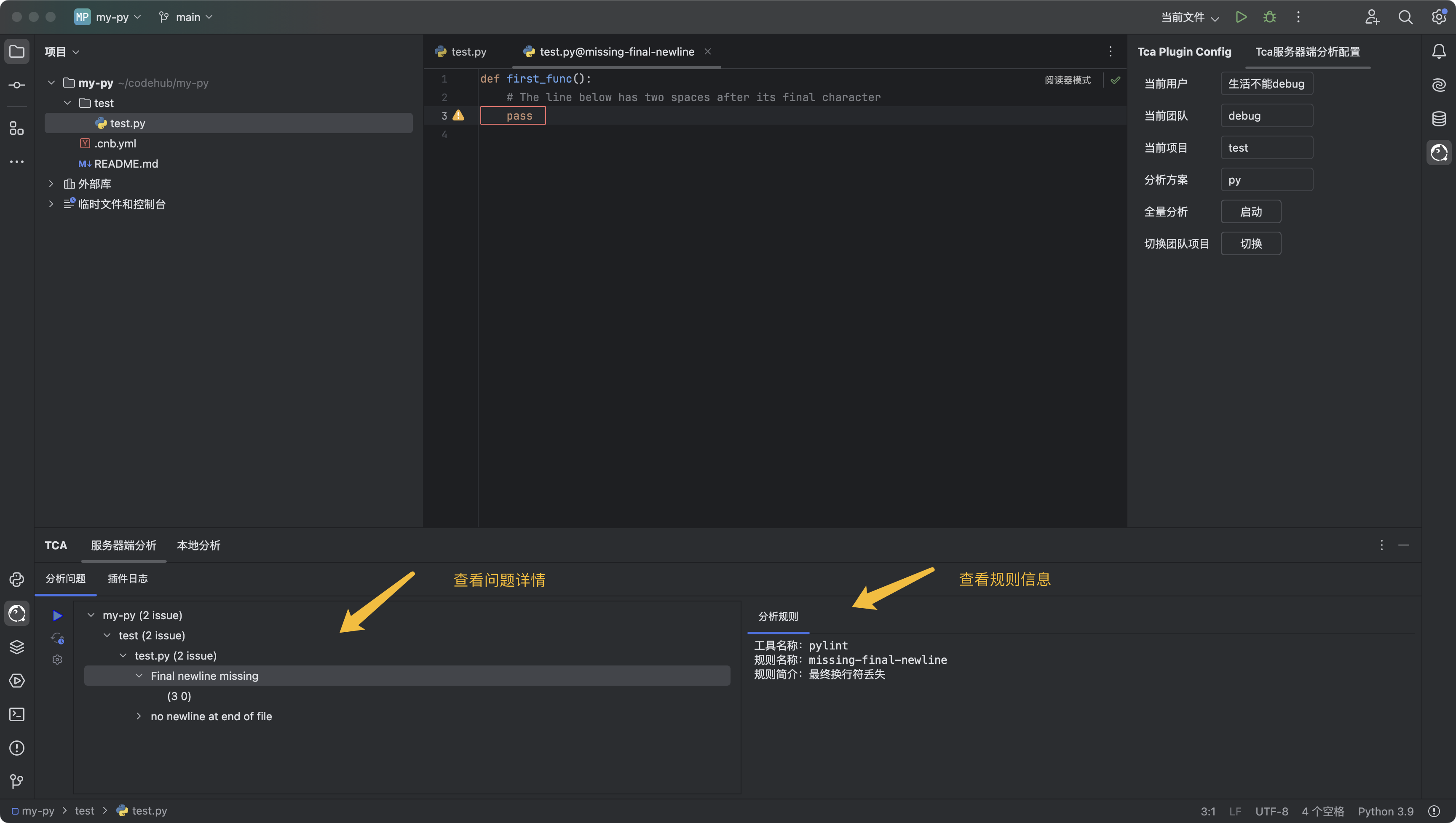
JetBrains IDEs TCA Plugin
Supports installing the TCA Plugin in JetBrains IDEs, allowing you to view code issues within the IDE and trigger online/local code analysis.
Tips
JetBrains IDEs refers to a series of IDEs from JetBrains, including IntelliJ IDEA, PyCharm, WebStorm, PhpStorm, GoLand, etc.
Installation Guide
Install the Tencent Cloud Code Analysis plugin in the JetBrains IDEs Plugin Repository.
After successful installation, the Tencent Cloud Code Analysis icon will appear in the sidebar; click it to switch views.
Usage Guide
First, create a
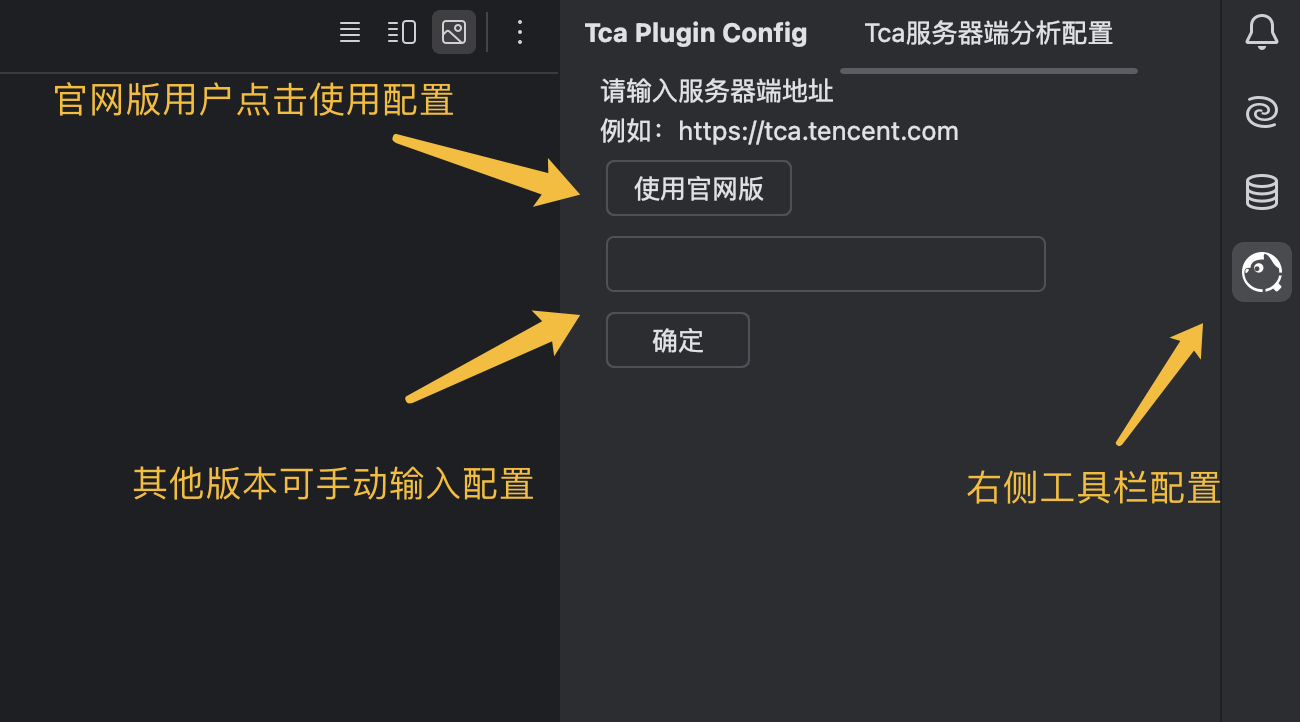
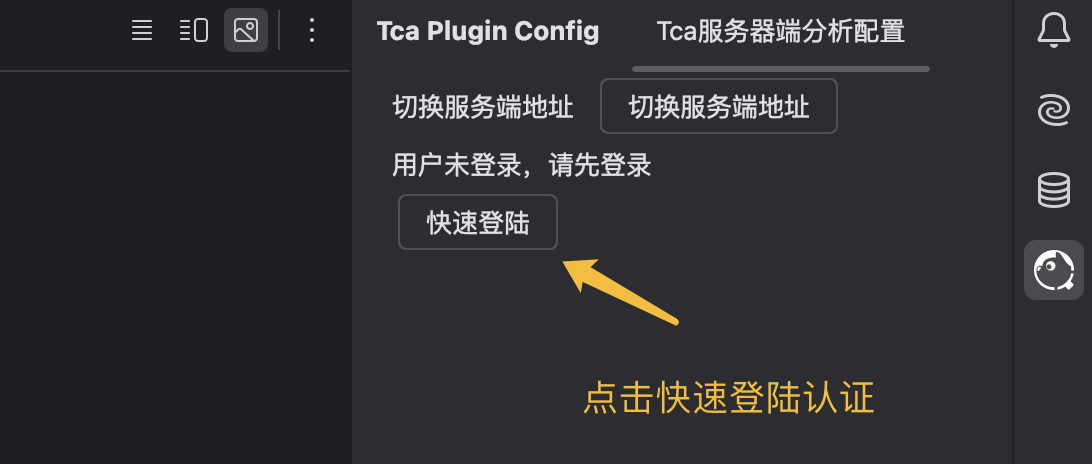
teamandprojectin TCA (ignore if already available), connect to the code repository to be analyzed, configure the analysis scheme as needed, and create an analysis project. For details, refer to Quick Start.Log in and configure the plugin according to the instructions. If you need to use the local analysis feature, pre-install the code analysis client locally.
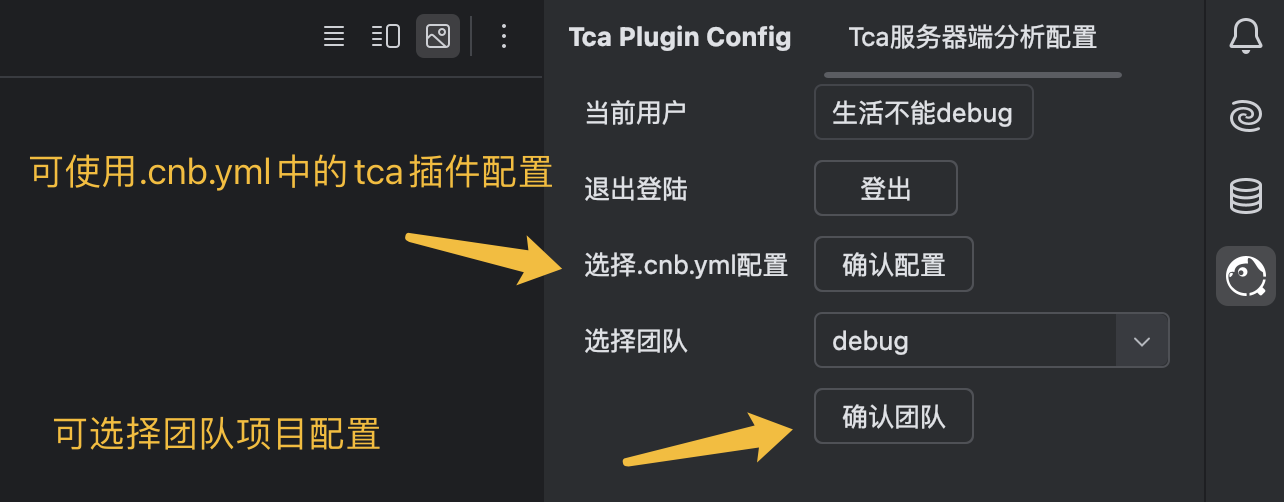
After configuration is complete, you can view the code analysis results within the IDE.