
Intranet Repository Analysis
This document aims to guide how to analyze intranet code repositories.
Application Scenarios
The code repository is in an enterprise intranet environment, but code analysis needs to be performed on TCA SaaS.
Three Modes
Mode 1: Privacy analysis mode (recommended).
Mode 2: IP whitelist mode.
Mode 3: Source code package analysis mode.
Warning
Please ensure compliance with internal security policies and legal regulations.
Privacy Analysis Mode (Recommended)
TCA consists of a TCA platform side + TCA client side:
The platform side is mainly used for relevant configurations and storing analysis results.
The client undertakes code analysis tasks and executes analysis on its host machine. TCA adopts a distributed client architecture, allowing flexible deployment of clients to any region (requiring access to the TCA platform side), such as use as one-time temporary nodes or permanent nodes.
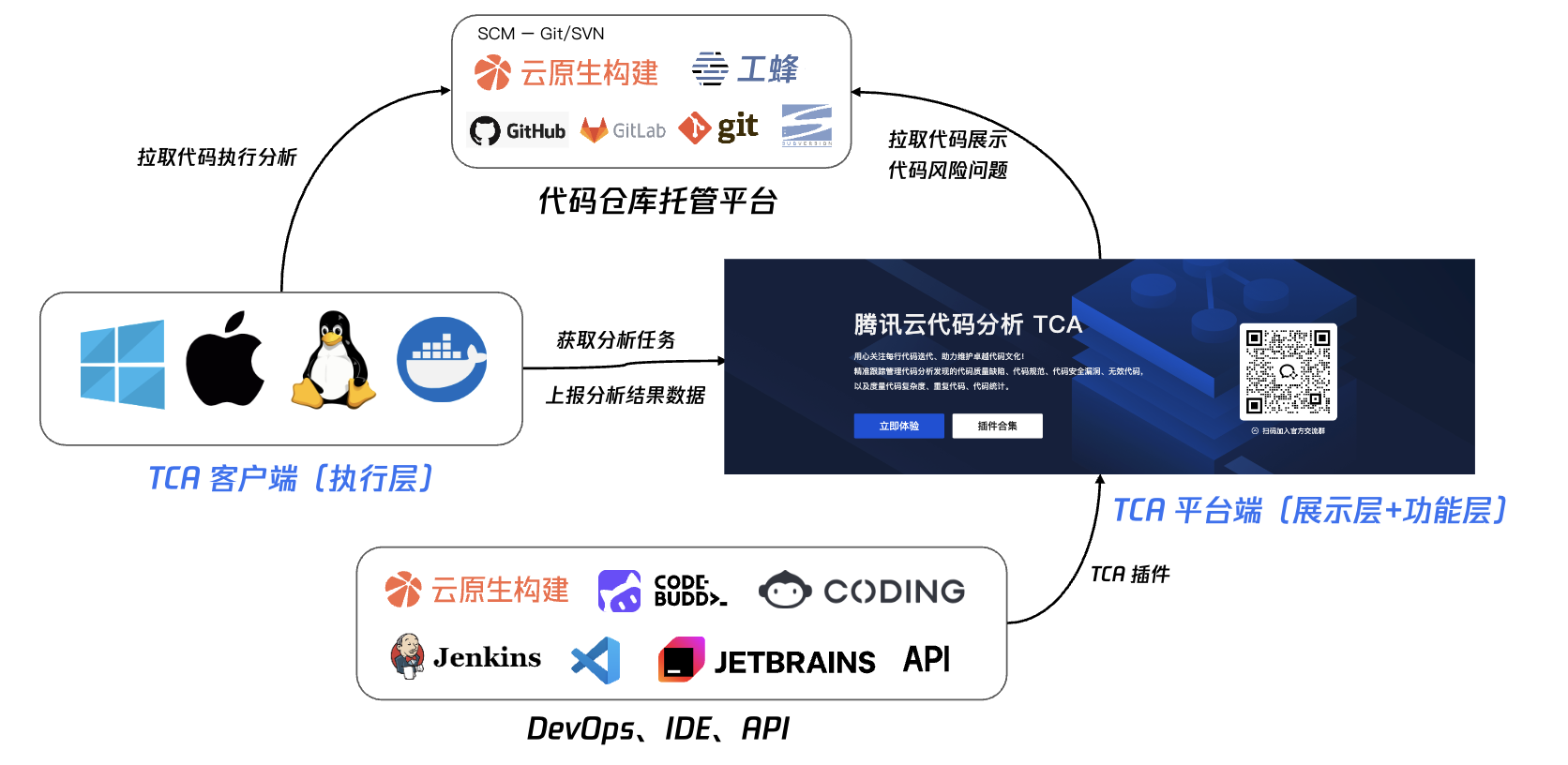
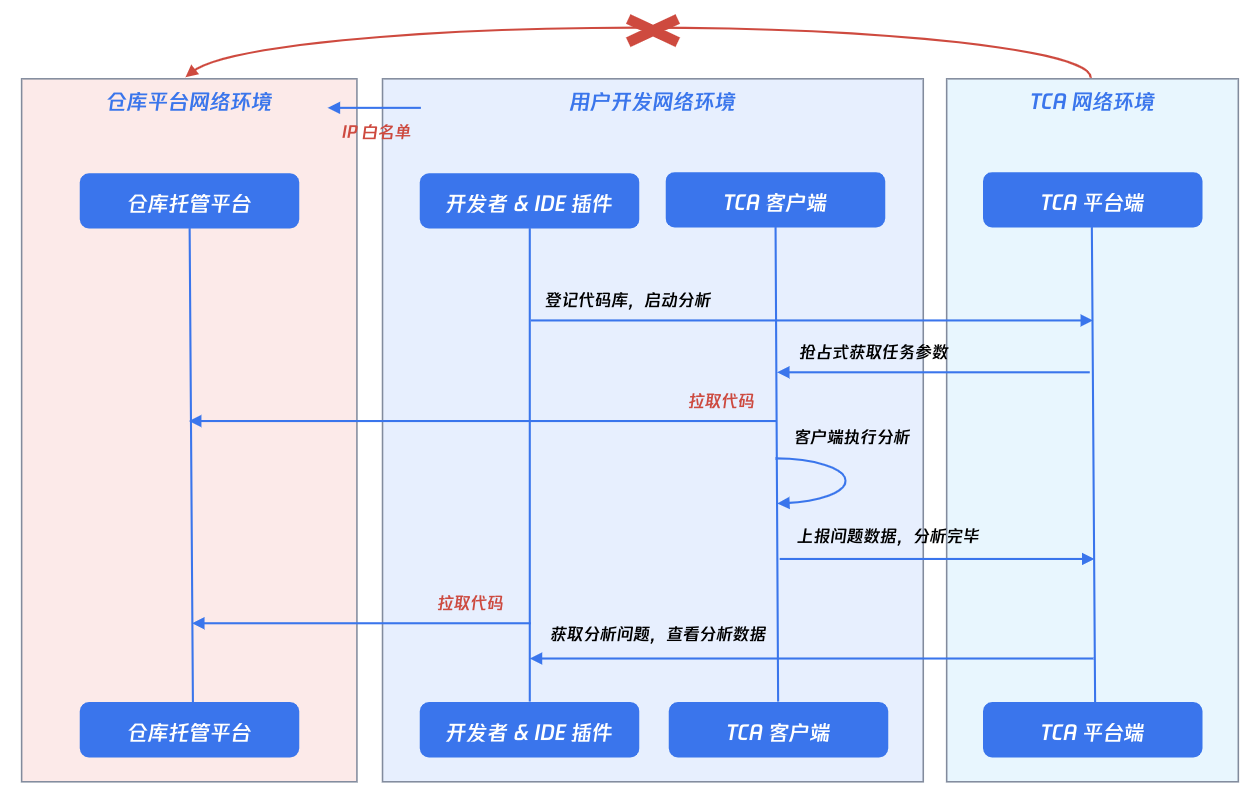
Therefore, you can connect client nodes yourself, ensuring only that the client nodes can access the TCA platform side and the intranet repository hosting platform. As shown in the following figure:
Configuration Methods
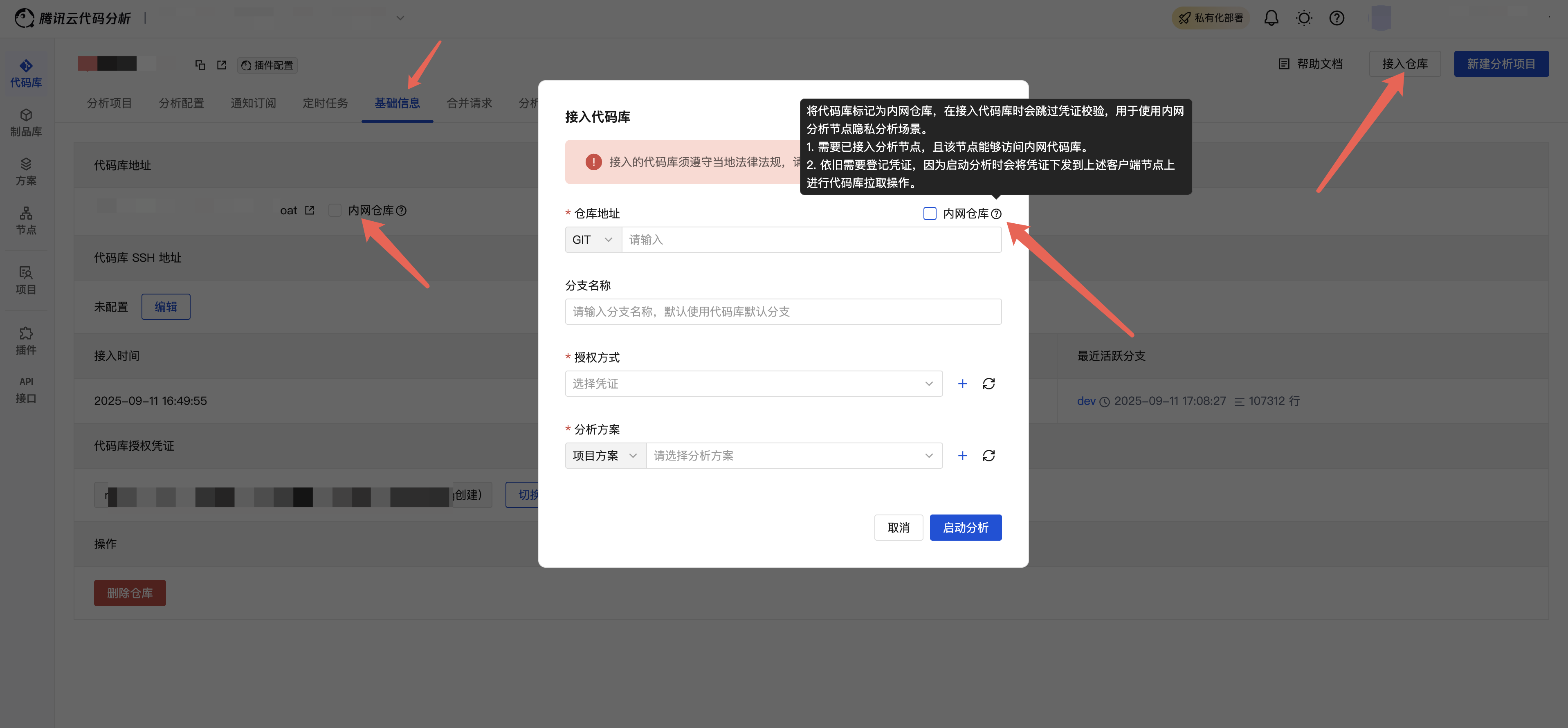
When connecting a code repository on the platform, mark the code repository as an intranet repository.
If the code repository has already been registered, you can go to the basic information page of the code repository and adjust it to an intranet repository.
Tips
Credential verification will be skipped when connecting a code repository or starting analysis.
An analysis node must have been connected, and this node must be able to access the intranet code repository.
Credentials still need to be registered, as they will be distributed to the above client nodes for code repository pull operations when analysis is started.
- Scenarios where connected nodes have built-in code repository credentials will be considered in the future, with adaptation ongoing...
Warning
In privacy analysis mode, problem code snippets cannot be viewed on the TCA platform side (client analysis processes do not upload source code).
IDE plugins can be used to view issues directly within the IDE combined with local code; see Plugin Configuration.
IP Whitelist Mode
Configure the exit IP whitelist of TCA SaaS on the enterprise intranet repository platform to enable access to the code repository.
The following is the list of exit IPs for TCA SaaS:
183.47.124.220
120.232.20.34
Tips
If public resource nodes provided by the TCA platform are used, the exit IPs of the public resource nodes also need to be added to the whitelist. For the node exit IP list, please contact the TCA official. It is recommended to connect nodes yourself first.
Source Code Package Analysis Mode
Desensitize and compress the intranet code repository to be analyzed into a source code package, then use TCA SaaS's source code package analysis function to perform code analysis on the source code package by providing a source code package download address (recommended) or uploading the source code package.
Warning
Since TCA does not store code information, issues found by source code package analysis will be displayed on the platform in the form of issue coordinate information (including only the file where the issue is located, the line number, the issue description, etc.).
IDE plugins can be used to view issues directly within the IDE combined with local code; see Plugin Configuration.
Source code package analysis is a one-time analysis mode and does not continuously track issues; each analysis provides full data results.