
Enhanced Analysis
In addition to integrating well-known industry analysis tools, TCA also has independently developed standalone tools that serve as enhanced analysis modules for TCA.
Official Website Version License
Applicable to the Tencent Cloud Code Analysis SaaS version, this license requires purchase. After successful purchase, enhanced analysis capabilities can be used. Click to visit the Purchase Address, and select the Analysis Concurrency Resource Count package type.
How to View Resource Usage
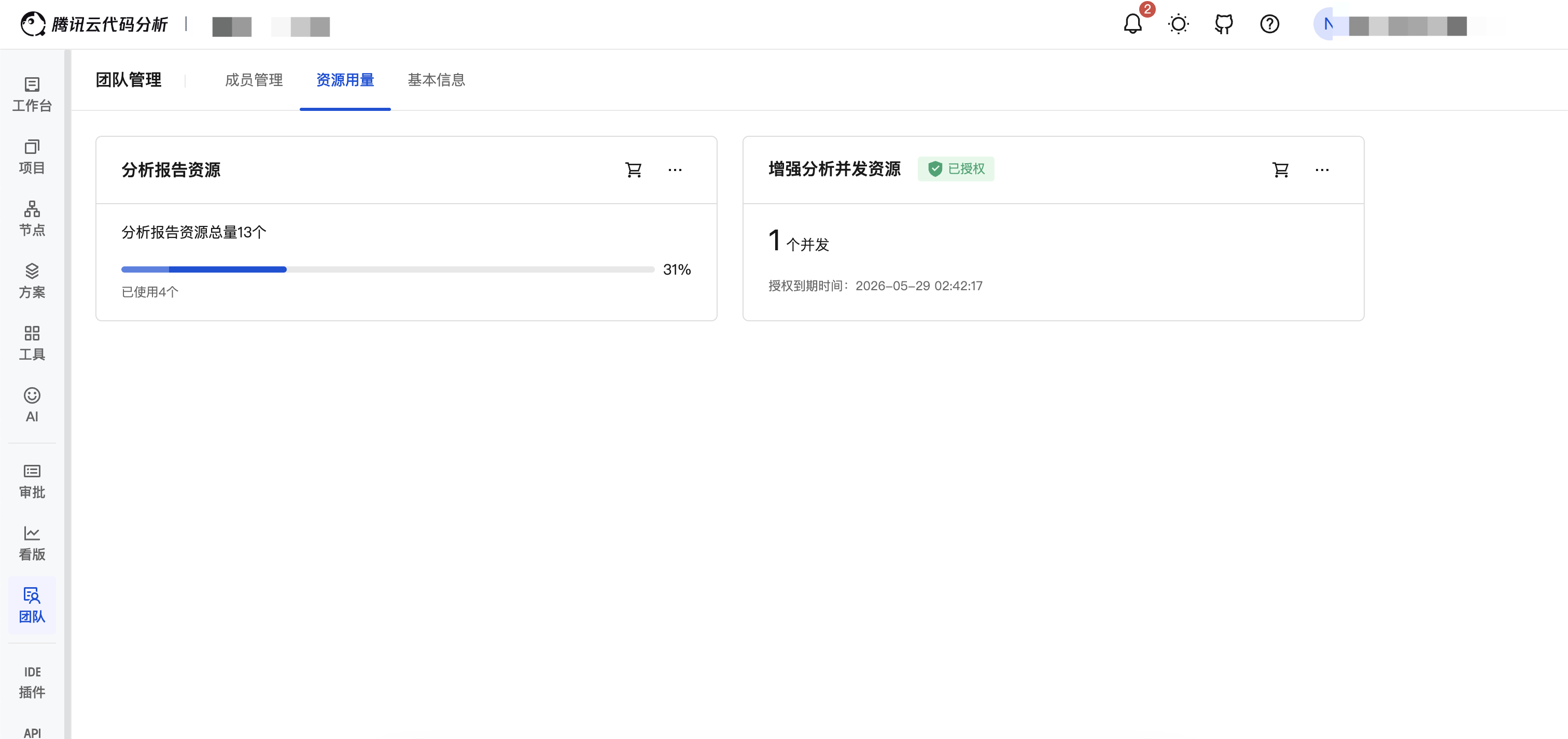
Navigate to Team Menu -> Resource Usage Page to view:
Private Cloud License
TCA supports configuring a private cloud License for the private cloud version, enabling customers to use enhanced analysis capabilities in an intranet environment.
In the
clsdirectory of the TCA distribution package, execute the following command to obtain theServer IDandClient License:$ ./cls server 2022-04-13 18:35:29.356510559 +0800 CST [INFO] Version: 20220328.1 2022-04-13 18:35:29.44083463 +0800 CST [INFO] The client license is: xxx 2022-04-13 18:35:29.454552966 +0800 CST [INFO] License Server ID: xxxServer ID: Machine code, used to apply for License authorization from the TCA team.Client License: Provided to the TCA Client to facilitate tool authentication (important, it is recommended to back up and retain).
Warning
Note: The command must be executed in the CLS directory
Configure CLS service information in the
config.inifile under the TCA Client directory, for example:[LICENSE_CONFIG] ; [Optional] Required when using standalone tools, not needed by default ; Domain name and port of the License service URL=http://<IP or domain name>:<port> BASE_PATH= LICENSE=<Client License>