
Tencent Cloud Code AnalysisTencent Cloud Code Analysis
Guide
API
  • AI 能力概述
  • AI 问题审计
  • AI 修复建议
  • AI 分析工具
  • AI Skills
  • IDE

    • Visual Studio Code TCA Plugin
    • JetBrains IDEs TCA Plugin
  • CNB

    • CNB TCA Plugin
    • CNB TCA Badge
  • Jenkins

    • Jenkins TCA Plugin
  • MCP

    • TCA MCP Server
  • 工具概述
  • TCA-Armory-C2
  • TCA-Armory-R
  • TCA-Armory-Xcheck
  • RegexScan
  • Advanced

    • Intranet Repository Analysis
    • API 触发分析
    • Optimizing Analysis Speed
    • Improving the Issue Detection Rate
  • Other

    • Issue Ignoring Methods
Try Now
  • Service Agreement
  • Privacy Agreement
  • 简体中文
  • English
Guide
API
  • AI 能力概述
  • AI 问题审计
  • AI 修复建议
  • AI 分析工具
  • AI Skills
  • IDE

    • Visual Studio Code TCA Plugin
    • JetBrains IDEs TCA Plugin
  • CNB

    • CNB TCA Plugin
    • CNB TCA Badge
  • Jenkins

    • Jenkins TCA Plugin
  • MCP

    • TCA MCP Server
  • 工具概述
  • TCA-Armory-C2
  • TCA-Armory-R
  • TCA-Armory-Xcheck
  • RegexScan
  • Advanced

    • Intranet Repository Analysis
    • API 触发分析
    • Optimizing Analysis Speed
    • Improving the Issue Detection Rate
  • Other

    • Issue Ignoring Methods
Try Now
  • Service Agreement
  • Privacy Agreement
  • 简体中文
  • English
  • Guide

    • Function Overview
    • Quick Start
    • Permission Configuration
    • 仓库配置
    • 分析方案
    • 分析项目
    • Component Composition Analysis
    • 提单配置
    • Node Management
    • Enhanced Analysis
    • AI Assistant
    • Plugin Configuration
    • Tool Rules
    • Frequently Asked Questions
    • Glossary

Quick Start

Hierarchy: Team > Project > Code Repository > Analysis Project

Create a Project

Create a project for the team or select an existing project, then navigate into the project.

Create a Project

Connect to Code Repository

Complete the code repository connection, then click to enter code analysis.
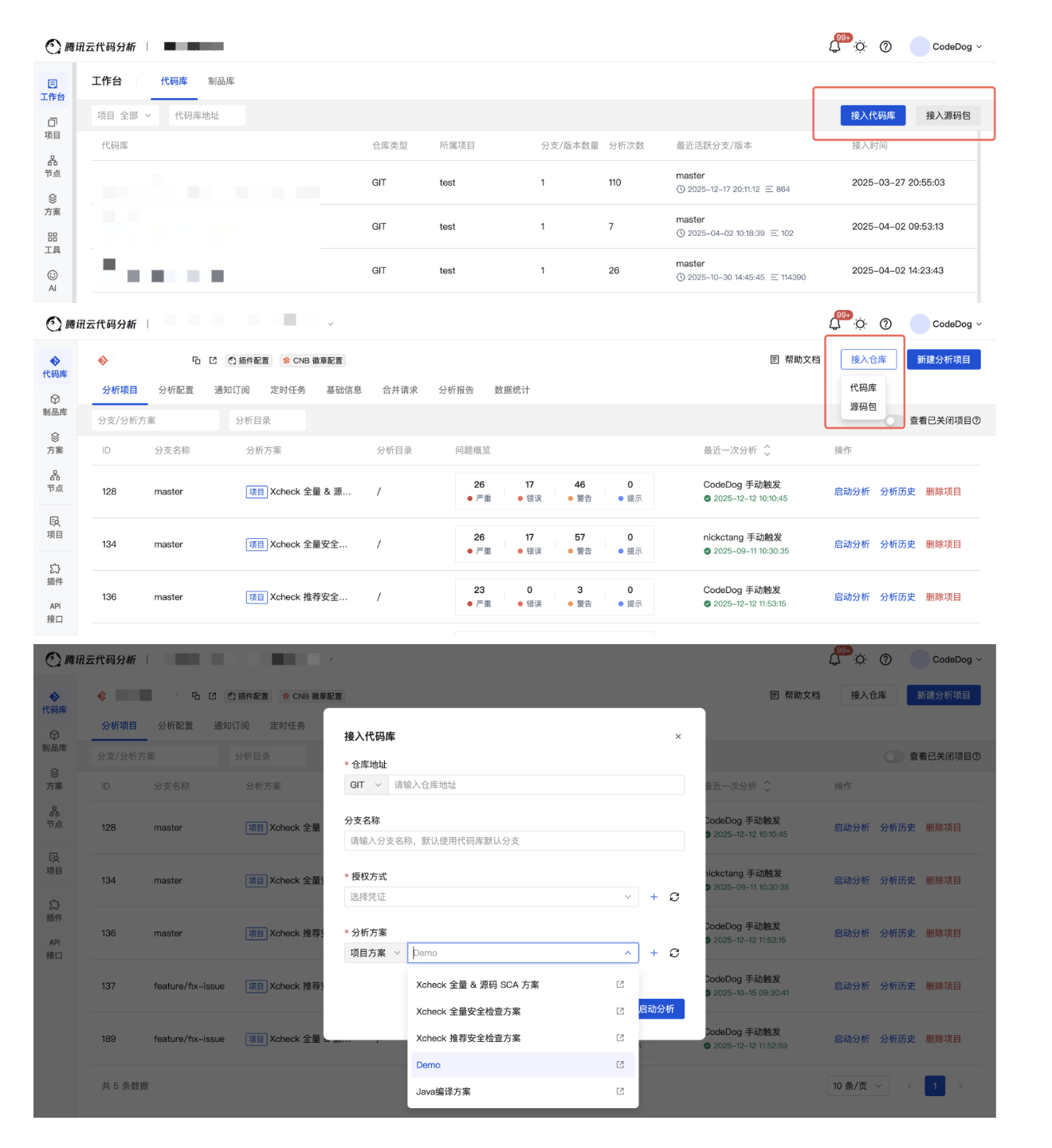
Register Code Repository

Start Analysis

  • After connecting to the code repository, navigate to the analysis project list page.

    • On this page, you can view the summary data of all analysis projects under the current code repository.

    • You can switch to other code repositories by moving the mouse to the top code repository information dropdown.
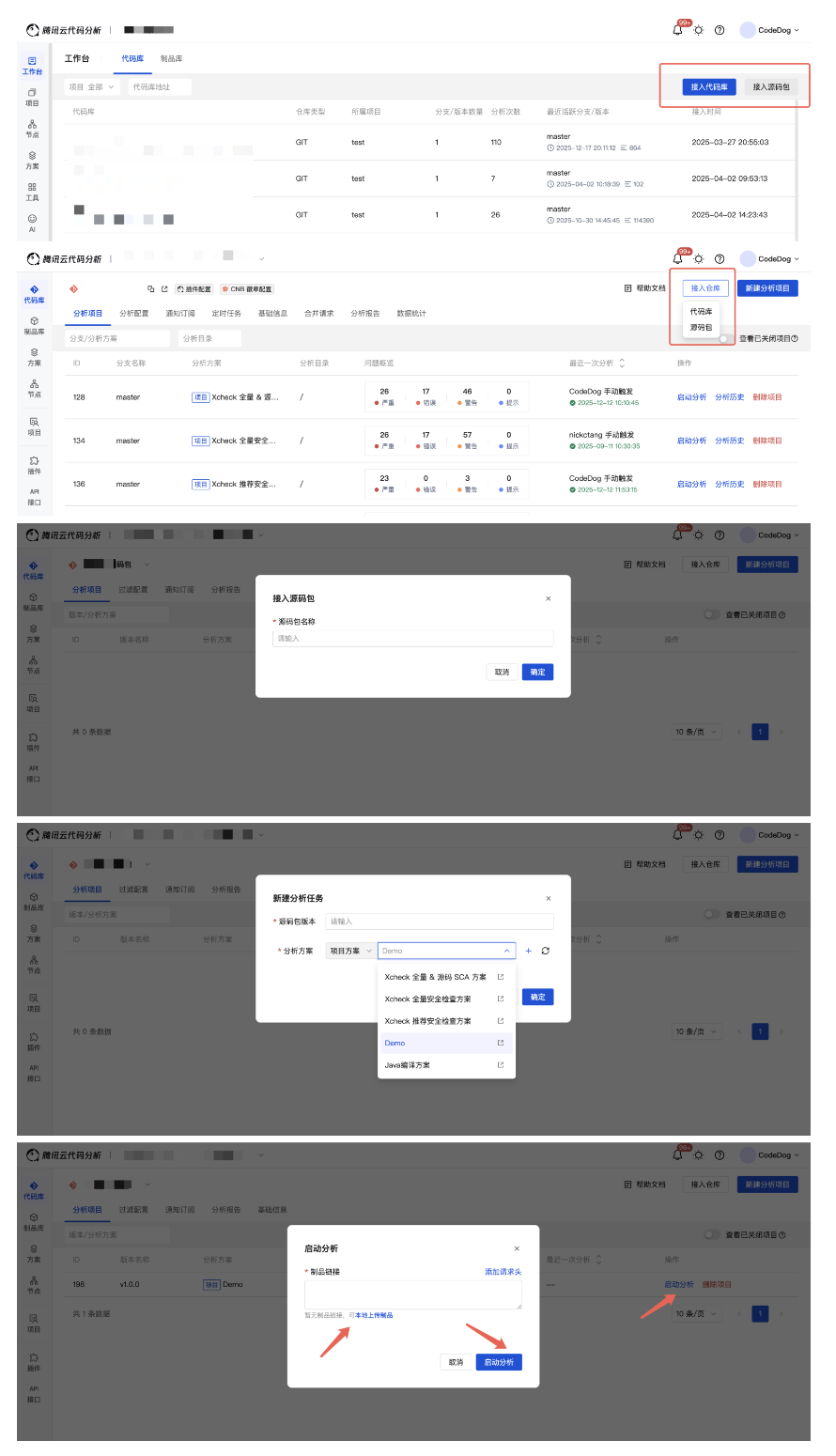
    Analysis Project List

  • Click New Analysis Project, select the branch, analysis path, and analysis scheme to be analyzed, then click Start Analysis to quickly execute code analysis.
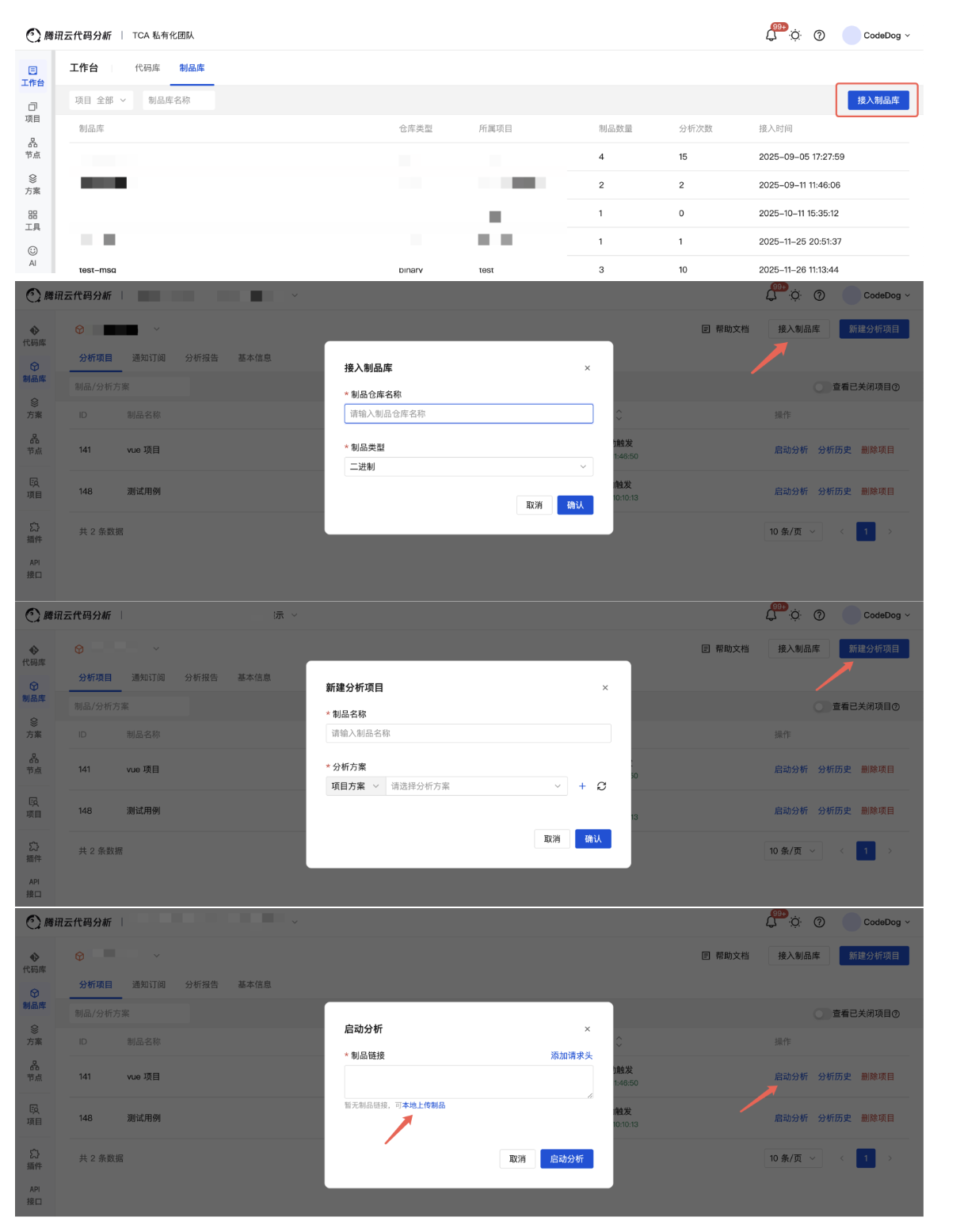
    New Analysis Project

    Tips

    • If the project has no code repository, first go to the code repository page to create one.
    • You can flexibly select platform schemes, team schemes, or project schemes based on business needs to perform code analysis using the scheme's analysis configurations.

View Analysis Progress

After starting the analysis, navigate to the analysis history page to view analysis tasks. Click Details to view specific analysis progress, results, etc.
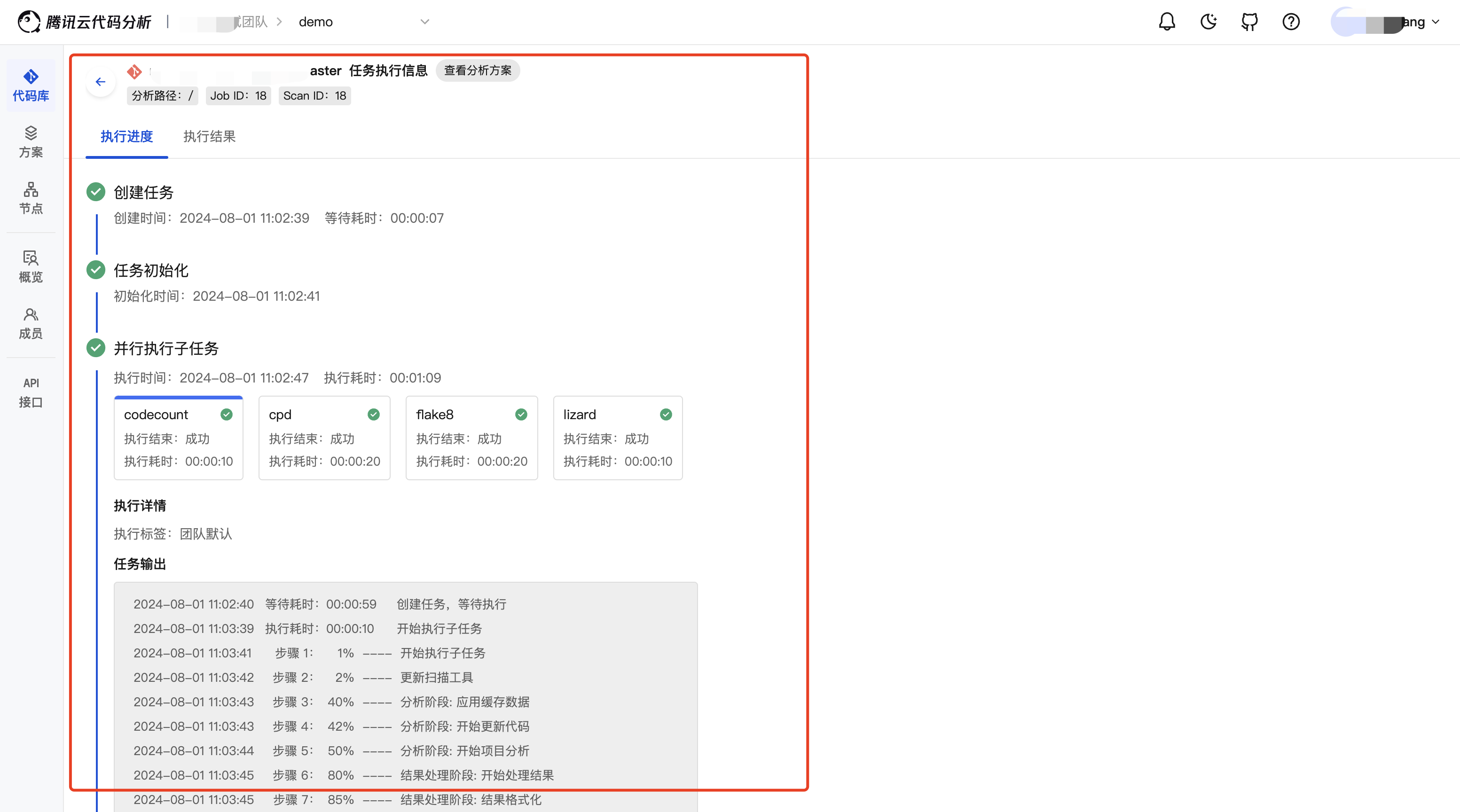
Analysis History

View Analysis Overview

After analysis is complete, view the overview data of the analysis project on the analysis overview page.
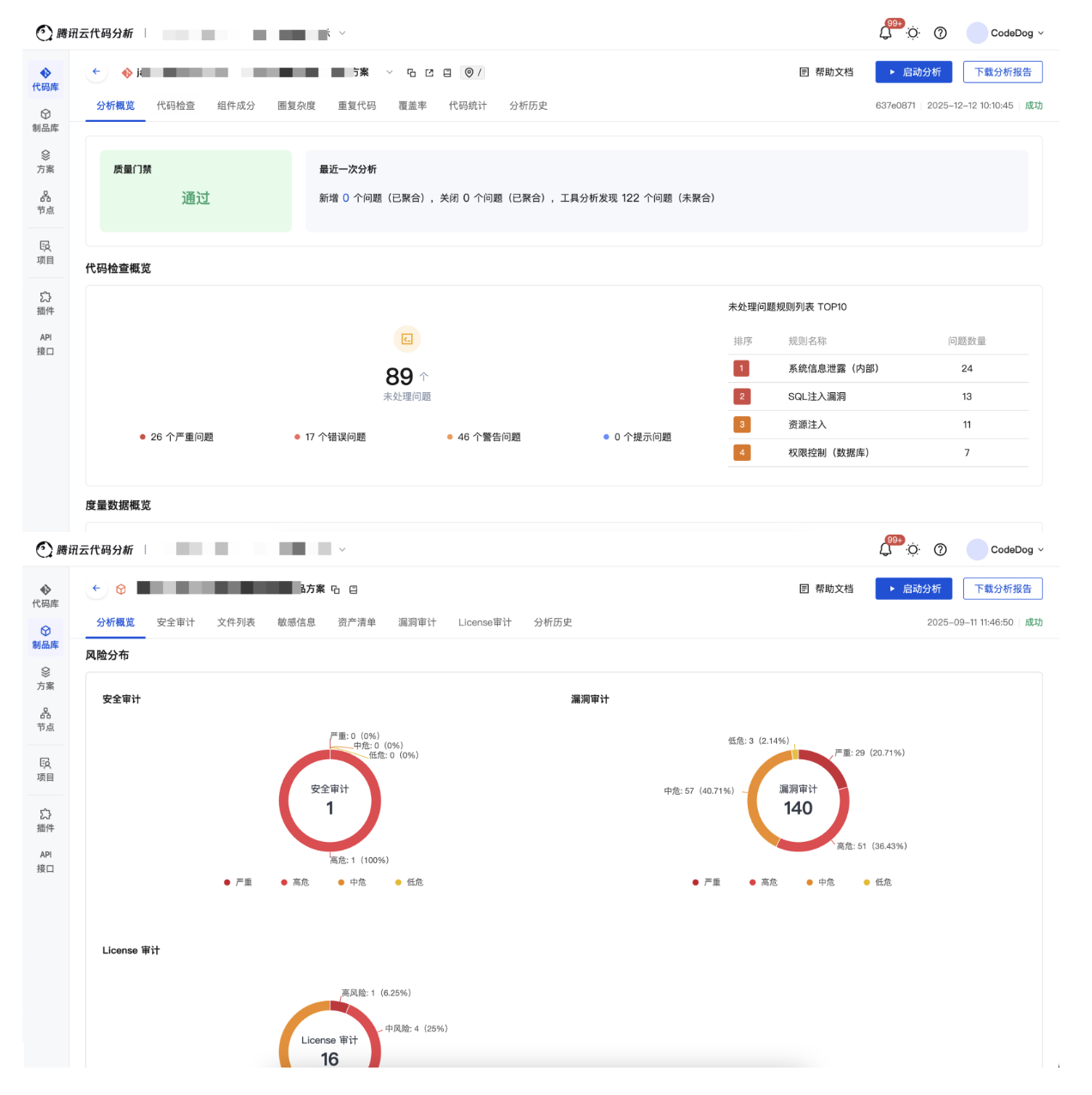
Analysis Overview

View Issue Details

After analysis is complete, view the specific issue data of the analysis project on the issue list page. Click to view issue details.

Last Updated:: 12/30/25, 1:08 PM
Contributors: faberihe, nickctang
Prev
Function Overview
Next
Permission Configuration